 That tiny task.
All day.0:05
Start here for everyday-life stories and simple explainers built around drawings.
- Turn everyday topics into visual stories
- Describe the same character in every scene
- Plan poses, visual jokes and simple movements
Video-making kits for faceless YouTube channels
Get the prompts and planning sheets for your script, characters and scenes. Choose stick figures, documentaries or horror, then follow the guide through your first edit.
 One book.
Inside every kit
20 copy-and-paste prompts12 starter video ideas23 pages of clear stepsCharacters, examples & checklistsStart with one format. Each kit includes a guide, prompts and a worked example for that type of video.
That tiny task.Start here for everyday-life stories and simple explainers built around drawings.
 One book.
Choose this for stories that need research: history, places, people and how things work.
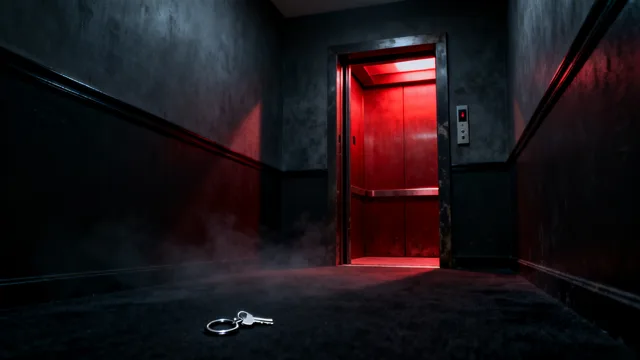 It knew
Choose this for original scary stories told through narration, still images and sound.
Images and five-second clips show possible styles. The kits contain guides, prompts and templates—not finished videos.
Use these resources in order: choose an idea, write the script, plan the scenes and prepare the edit.
Work through the script, images, narration and edit in a set order, with checks before you move on.
Tell Codex or Claude what to produce at each stage, from the opening line to thumbnail ideas.
Choose a starting topic for this video style, then adapt it to your audience.
Specify appearance, clothes, colors and props so you can check each new image for changes.
Read a short original script beside the scene descriptions that illustrate it.
List the timing, narration, visuals and files for each scene before opening your editor.
Follow the Codex or Claude instructions and choose tools for pictures, voice and editing.
Catch missing sources, inconsistent characters, unclear audio and caption mistakes before uploading.
Each kit has 13 files; the documentary kit has 14. The items above include sections within those files. You can edit the text, planning sheets and included drawing.
Get a separate guide, idea list, character example and scene plan for each format. Choose one kit if you already know what you want to make.
16 shared core prompts + 12 genre-specific prompts across the collection.
Work through one video before starting the next.
Pick one of the 12 ideas or add your own. Fill in the included brief with your audience, topic and video length.
Paste one instruction at a time into Codex or Claude. Review the script, then use the next prompts to plan characters and scenes.
Use the tool guide to make or source your images and record your voiceover. Follow the scene plan in your editor, then run through the final checklist.
You review the writing and make the final edit. The kit does not include AI subscriptions, media-generation credits or editing software.
Download an idea prompt, a fill-in video brief, a character checklist and a short production exercise. Use them to plan a small test video before choosing a full kit.
Get the free starterFree text download. No email or payment details needed.
Create five original video ideas for [audience] about [topic]. For each idea, give me an opening scene, a simple story outline and an ending. Keep it easy to make with drawings and my own voice. List the images I need. Do not invent search numbers or earnings.
Tools, file formats and what you’ll make yourself.
A ZIP download with a 23-page PDF guide, 20 copyable instructions for Codex or Claude, 12 starter ideas, a character guide, a short example story, an editable drawing, planning sheets and checklists. Each kit has 13 files, or 14 for the documentary kit. Some resources are sections inside the same file.
You can ask for a script for free. The kit puts the next steps in order too: character instructions, scene planning, media prompts, tool setup and final checks. You are paying for that organized set of resources and examples, rather than access to an AI tool.
It is a ready-written instruction you copy into Codex or Claude. Fill in your topic, paste it in and use the answer as your starting point. You do not need to write the instruction from scratch.
No coding is needed to follow the basic steps. You can paste the prompts into Claude chat and use the guide with a video editor. The kits also include setup files for people who want to work in Codex or Claude Code.
No. You get the guides, prompts and templates to help you make your own videos. The short AI clips on this website are style examples for the shop, not finished videos in the download.
You need your own access to Codex or Claude. You can use free editing tools and record your own voice. Image generators, AI voices, stock media and paid subscriptions cost extra if you choose them.
Each has its own ideas, characters, example story, drawing and four prompts written for that video style. Sixteen core prompts are shared across all three kits. The documentary kit also has a sheet for tracking facts and sources.
Yes. You may adapt the included original material for your own videos or client work. You cannot resell or share the kit itself. Other tools and media have their own licenses. Views and earnings are not guaranteed.
Pay securely with Stripe. After payment clears, your download appears on the confirmation page and arrives by email. Your private link lasts 30 days. Contact support@offscreenkits.store if you need help.